What happened to Flash?
Adobe discontinued the Flash Player at the end of 2020, and since early 2021 the major browsers no longer run it. For browser games that was a turning point: thousands of games from the 2000s suddenly stopped working anywhere.
New browser games therefore rely on HTML5 and WebGL. They need no plugin, start faster and also run on phones and tablets.
Flash classics on this site
We have made a large part of our old archive playable again: you will find well over 280 games in our Flash Classics from A to Z. This is possible thanks to Ruffle, a free Flash emulator that runs right in your browser. You do not need to install anything, and everything comes from our own server.
A few things are good to know:
- Mouse and keyboard: Most old games were made for desktop computers. They do start on a phone, but are often hard to control.
- Give it a moment: Some games first show a long intro or a loading bar. A click into the game area often helps.
- Not everything runs: Games that need high-score or ad servers that no longer exist will not start any more. We have taken those offline.
Where do the famous series live today?
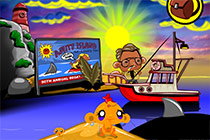
- Monkey Go Happy: Many episodes are available as HTML5 versions on Playit-Online.
- Yeti Sports: The penguin-batting classics are among our Flash Classics.
- Escape games: Series like Nautilus Spaceship Escape carry on the tradition of the old room escape classics – find more in our escape games.
- Mahjong, Bubble Shooter, Solitaire: All the evergreens are in our classics section.
Fancy a classic?
Browse the restored Flash games – no plugin needed.